Ice storms, summer thunderstorms, a car hitting a hydro pole down the street — power outages are a normal part of life in Ontario. Most people grab a flashlight, check on the fridge and wait for the lights to come back on. But there is one question many homeowners and business owners never think to ask until it is too late: is my alarm system still protecting me right now?
The honest answer is: it depends on how your system was designed, installed and maintained. A properly built security system is designed to keep working when the power fails. A poorly maintained one may go silent without you ever knowing. In this article, we explain exactly what happens to your alarm system during a power outage, which parts keep working, which parts may stop, and what you can do to make sure your property stays protected.
Your Alarm Panel Has a Backup Battery
Every professionally installed alarm system has a control panel — the “brain” of the system. It is usually hidden in a utility room, basement or closet. Inside that panel is a rechargeable backup battery.
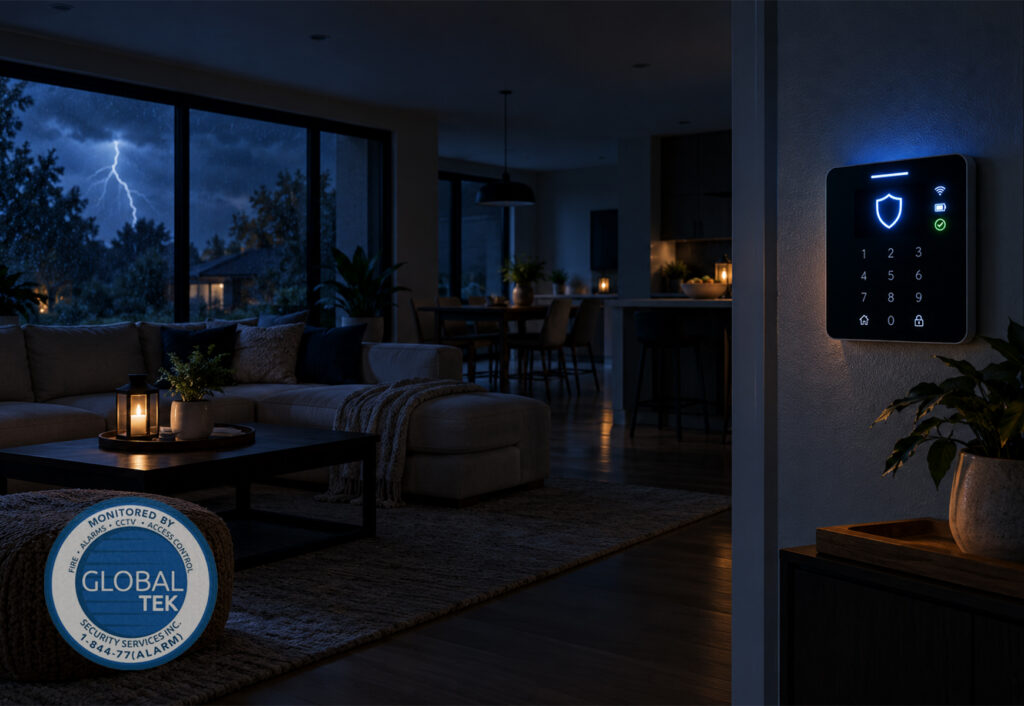
When hydro power is cut, the panel automatically switches to this battery. You will not notice a thing. Your keypad may display a message such as “AC Loss” or “AC Power Failure,” and some keypads will beep to let you know the system is running on battery power. That message is not a fault — it is the system doing exactly what it was built to do.
How long does the backup battery last?
There is no single answer, because battery life depends on:
- The size and age of the battery — older batteries hold far less charge.
- How many devices are connected — keypads, wired motion sensors, sirens and communicators all draw power.
- The type of communicator — cellular and internet communicators use more power than older devices.
- Whether the siren goes off — sirens draw a lot of power, so an alarm event drains the battery faster.
A healthy, correctly sized battery will typically keep a standard residential system running for many hours, and systems can be designed with larger batteries for longer coverage. As a battery ages, though, that runtime shrinks — sometimes dramatically. A battery that is five or six years old may only last a fraction of the time it did when it was new.
What Keeps Working During an Outage
If your system is properly maintained, these components will usually continue to work on battery power:
- Door and window contacts — wireless sensors run on their own small batteries, and wired sensors are powered by the panel.
- Motion detectors — both wireless and panel-powered models.
- The keypad — so you can still arm and disarm the system.
- The siren — to scare off intruders and alert people inside.
- Wireless smoke and carbon monoxide detectors connected to your monitored system.
- The communicator — the part that sends signals to the monitoring station (more on this below).
This matters because criminals know that outages create opportunity. Dark streets, disabled lights and distracted neighbours make it easier to approach a property unseen. A system that keeps working through an outage removes that advantage.
The Weak Point: How Your System Talks to the Monitoring Station
Your alarm panel can be running perfectly on battery, but if it cannot send a signal to the monitoring station, nobody is coming. This is where the type of communication path makes a huge difference.
Traditional landline
Older systems often send signals over a copper telephone line. Traditional copper landlines are powered by the phone company, so they often continue to work during a local outage. However, true copper landlines are becoming rare, and many people have switched to phone service that runs through their internet provider without realising it.
Internet-based (IP) and VoIP phone lines
If your alarm communicates through your internet connection or a VoIP phone line, it depends on your modem and router. When the power goes out, your modem and router shut off too — unless they are connected to a battery backup (UPS). That means your alarm may sound locally but may not be able to reach the monitoring station at all.
Cellular communicators
A cellular communicator sends signals over the cellular network and is powered by your alarm panel’s backup battery. This is generally the most reliable option during a power outage, because it does not rely on your modem, router or phone line. Cell towers also typically have their own backup power. For the best protection, many systems use a dual-path setup — cellular plus internet — so if one path fails, the other carries the signal.
If you are not sure how your system communicates, that is a question worth asking your security provider today, not during the next ice storm. GlobalTek Security can review your existing setup as part of our Basic Security Services.
What About Security Cameras?
Security cameras are a different story from your alarm panel. Most cameras plug into a wall outlet or are powered through your network equipment, so when the power goes out:
- Wi-Fi cameras usually stop recording and streaming because your router is off.
- Wired cameras connected to a recorder (NVR/DVR) stop unless the recorder and camera power supply are on a battery backup.
- Battery-powered cameras may keep recording locally, but they cannot send alerts to your phone without internet.
The good news is that this is easy to fix. A UPS (uninterruptible power supply) on your router, modem and video recorder can keep your camera system running through short outages. For businesses that rely on video, GlobalTek can design commercial security camera systems with backup power built into the plan.
What Happens When the Power Comes Back On?
When hydro is restored, your alarm panel switches back to AC power and starts recharging the battery. Most of the time, everything returns to normal automatically. However, you may notice:
- A “low battery” warning for several hours while the battery recharges.
- Trouble beeps on the keypad that need to be acknowledged.
- A power surge when electricity returns, which can damage electronics that are not protected.
If the low battery warning does not clear within a day or so after the power is back, your battery may be worn out and needs replacing. Do not ignore it — the next outage could leave you without protection.
Smoke and CO Detectors During an Outage
Life safety devices deserve special attention. Hardwired smoke and carbon monoxide detectors in most homes have a backup battery inside each unit. Monitored detectors connected to your security system run on wireless batteries or panel power.
Outages often lead to higher risk, not lower. People light candles, use fireplaces, run portable heaters and start generators — all of which can increase the risk of fire or carbon monoxide poisoning. Never run a generator inside your home, garage or near open windows. Monitored smoke detectors and carbon monoxide detectors give you an extra layer of protection because the monitoring station is alerted even if you are asleep or away.
How to Make Sure Your System Is Outage-Ready
Here is a simple checklist to keep your home or business protected when the power goes out:
- Know your battery’s age. Most alarm panel batteries should be checked regularly and replaced every few years.
- Ask how your system communicates. If it relies only on internet or VoIP, ask about adding a cellular communicator.
- Put a UPS on your router, modem and camera recorder. This keeps cameras, smart devices and internet-based alarms online longer.
- Test your system. Many systems allow a test mode — contact your monitoring provider before testing.
- Keep your emergency contacts up to date. If something happens during an outage, the monitoring station needs to reach the right people.
- Don’t ignore trouble messages. An “AC Loss” or “Low Battery” message is your system asking for attention.
- Add environmental protection. Outages can lead to frozen pipes in winter or sump pump failure in spring. Temperature devices and flood sensors can alert you before small problems become big ones.
Why Professional Monitoring Matters Most During an Outage
During a widespread outage, you may not be home, you may not have phone signal, and you may not even know that a sensor was triggered. That is exactly when professional monitoring proves its value. When your system has a reliable backup battery and a reliable communication path, the monitoring station receives the alarm, verifies it and dispatches help — whether the lights are on or not.
At GlobalTek Security, we build systems around real-world conditions, including Ontario’s unpredictable weather. With rapid response dispatch, flexible agreements and systems designed around your property, we make sure your protection does not switch off when the power does.
Frequently Asked Questions
Will my alarm go off when the power goes out?
No. A power outage alone does not trigger a burglary alarm. Your keypad may show a power loss message or beep, but the siren will not sound unless a sensor is triggered.
Can a burglar disable my alarm by cutting the power?
Cutting the power to a house will not disable a properly installed alarm system, because the panel switches to its backup battery. Using a cellular communicator also protects against cut phone or internet lines.
How often should I replace my alarm system battery?
Batteries should be checked during routine maintenance and replaced every few years, or sooner if your keypad shows repeated low battery warnings.
Do wireless security cameras work without power?
Battery-powered cameras may still record locally, but most cameras cannot send alerts without internet. A UPS on your router and recorder helps keep cameras online.
Stay Protected When the Lights Go Out
Not sure if your system would keep working through the next outage? Let GlobalTek Security take a look. Whether you need a battery replacement, a cellular communicator upgrade or a complete new system for your home or business, our team will design protection that works when you need it most.
Call us at +1-905-928-8564 or +1-844-772-5276, email info@globalteksecurity.ca, or request a free quote today.